Setting Up a Hono Project with Node.js ESM
Hallo Everyone welcome back to my article.
Today I want to discuss a simple example of using hono with Node.js ESM.
1. What is Hono?
Hono is a modern web framework for JavaScript/TypeScript that runs on a variety of runtimes.
Cloudflare Workers The name Hono comes from Japanese and means small fire 🔥 — perfect for a lightweight, fast, and simple framework.
2.Why Node.js ESM
Node.js adopted ECMAScript Modules (ESM) primarily to align with the official JavaScript standard for module management, bringing a standardized and modern approach to code organization and sharing within the Node.js ecosystem.
ESM advantages:
Syntax is consistent with browse.
Supports modern tree-shaking & Modularization.
More ready for TypeScript and modern bundlres.
3. Setting up a Hono with Node.js ESM
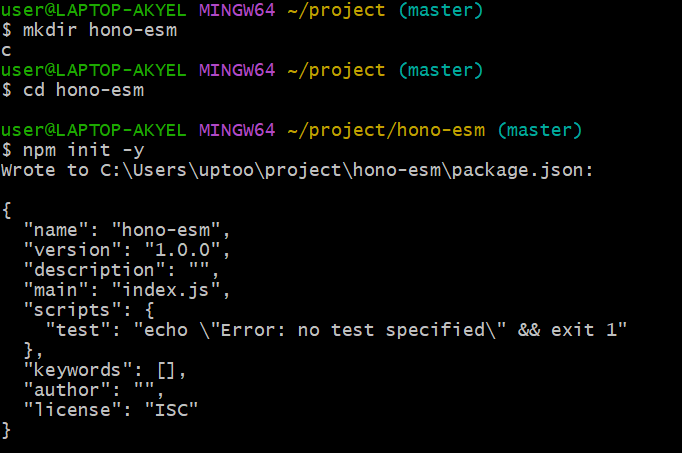
- initialize the project :
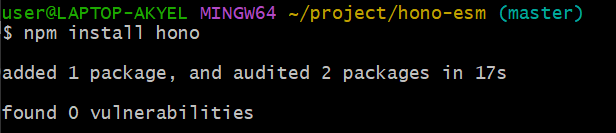
- Add Hono :
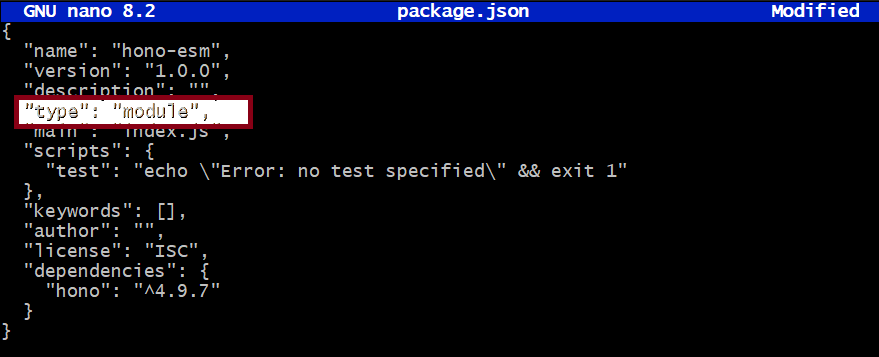
Enable ESM in
Node.jsAdd in `
package.json —> {"type": "module"}
Create a Simple Server
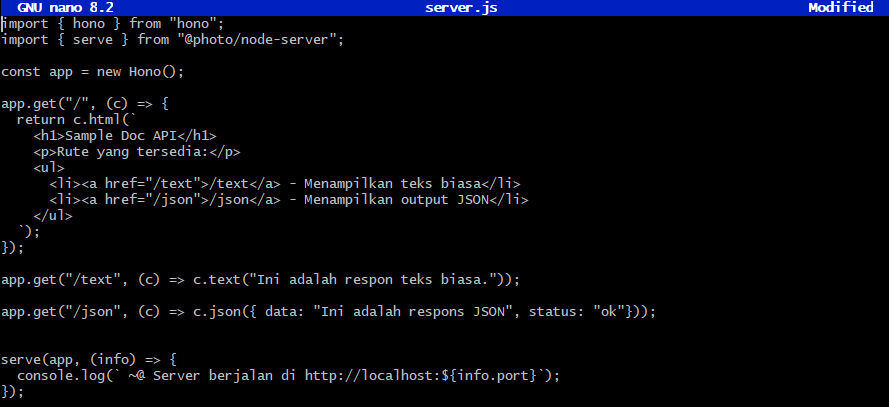
create files server.js.
then fill in the server.js file like this :
import { Hono } from "hono";
import { serve } from "@hono/node-server";

const app = new Hono();

app.get("/", (c) => {
  return c.html(`
    <h1>Sample Doc API</h1>
    <p>Rute yang tersedia:</p>
    <ul>
      <li><a href="/text">/text</a> - Menampilkan teks biasa</li>
      <li><a href="/json">/json</a> - Menampilkan output JSON</li>
    </ul>
  `);
});

app.get("/text", (c) => c.text("Ini adalah respons teks biasa."));

app.get("/json", (c) => c.json({ data: "Ini adalah respons JSON.", status: "ok" }));

serve(app, (info) => {
  console.log(`🚀 Server berjalan di http://localhost:${info.port}`);
});
If you can, run this code in the terminal using this code:
node server.js
If you experience an Error like this when you want to run server.js use the code above :
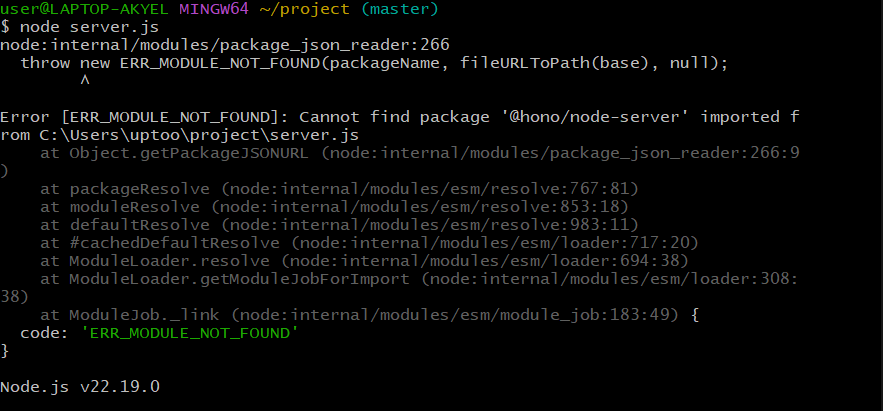
Use this code to Confirm it :
npm i @hono/node-server
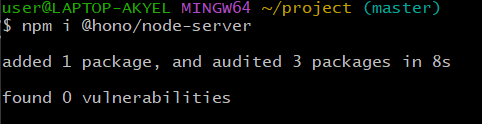
If you have tried it, try running the previous code again.
The Result :

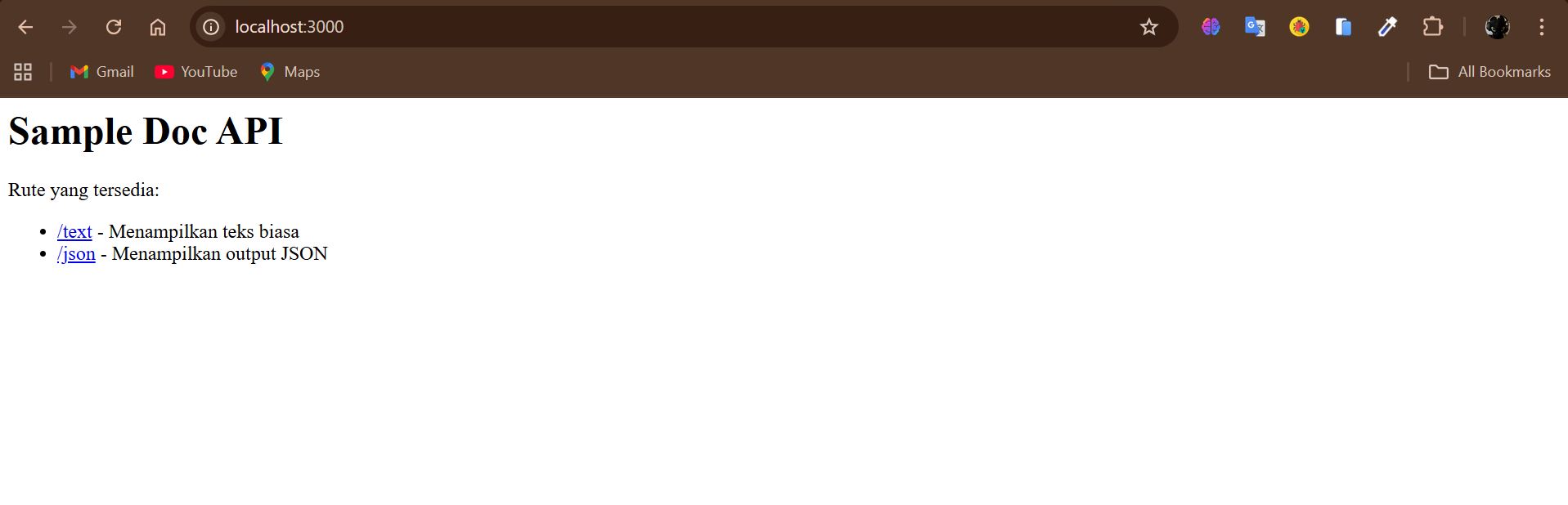
Then Copy the text “ http://localhost:3000 “, Then Paste the text in your browser.
If you have searched in your respective browsers, a page like this will appear :
The End !!! Congratulation for those who understand this article and can implement it.
That's all from me. I apologize if there are any wrong words or anything else and thank you for reading my article. Always look forward to my next article!!!.